Advertisement
The idea of machines creating art once sounded like a quirky sci-fi concept, but today it’s just a few clicks away. AI art generators are everywhere, from social media profiles to digital galleries. Whether you're a curious beginner or someone with a creative background looking to experiment, these tools let you turn text into visuals, mix styles, or even transform your selfies into renaissance paintings. Some are free, others need a subscription, but all are accessible. If you're ready to create AI art with almost no learning curve, here's a rundown of twelve options worth trying.
Midjourney is one of the most talked-about AI art tools right now. It runs through Discord and allows users to generate highly stylized and detailed images by typing in a prompt. The quality is often surreal and painterly, making it a favorite for concept artists and designers. It's not the most beginner-friendly in terms of interface, but once you get used to its command-based input, it opens up a lot of creative control.
DALL·E 3, developed by OpenAI, is now integrated with platforms like ChatGPT and Microsoft’s tools. It excels at generating coherent, realistic images based on complex prompts. You can also edit parts of the image after generation. What sets it apart is how well it interprets nuanced descriptions. It's easy to use and ideal for people who want clean, illustrative images from text.
Adobe Firefly is part of Adobe’s growing suite of generative AI tools. It's designed with creators in mind, especially those already familiar with Photoshop or Illustrator. It focuses on generating images, text effects, and templates. While still in beta for some features, it offers one big advantage: a commercial-use license with no additional fees for subscribers. If you want to create AI art for professional work, this one’s worth considering.
NightCafe is a web-based AI art generator that supports various algorithms like VQGAN+CLIP and Stable Diffusion. It’s beginner-friendly, lets you earn credits through participation, and offers community challenges. Users can tweak settings like style strength and resolution. Its social hub makes it feel like an art community more than just a tool.
Leonardo AI is known for producing game-ready concept art, textures, and character models. It’s aimed at designers and indie developers who want production-quality visuals fast. The UI is simple, and it has style presets that save time. You can also fine-tune models or train your own. It’s a strong choice for creative professionals.
Artbreeder lets users create AI art by mixing or "breeding" images. You start with a base and adjust sliders for traits like age, gender, or mood. It's mostly used for portraits, characters, and landscapes. Artbreeder leans more on collaborative evolution of visuals than text-to-image generation. It’s interactive and well-suited for people who enjoy iterative tweaking.
Runway ML offers a suite of creative AI tools, and its Gen-2 model can create short videos or images from text prompts. It’s often used in media production and supports video editing features. If you’re working with multimedia or want to go beyond still images, Runway opens up more possibilities. It’s browser-based, with simple drag-and-drop tools.
Created by Google engineers, Deep Dream Generator leans into a psychedelic, dreamlike aesthetic. It works by enhancing patterns in images to generate trippy, abstract visuals. You upload an image, choose a style, and let the AI remix it. While it lacks the text-to-image flexibility of other platforms, it offers a distinct style and niche appeal.
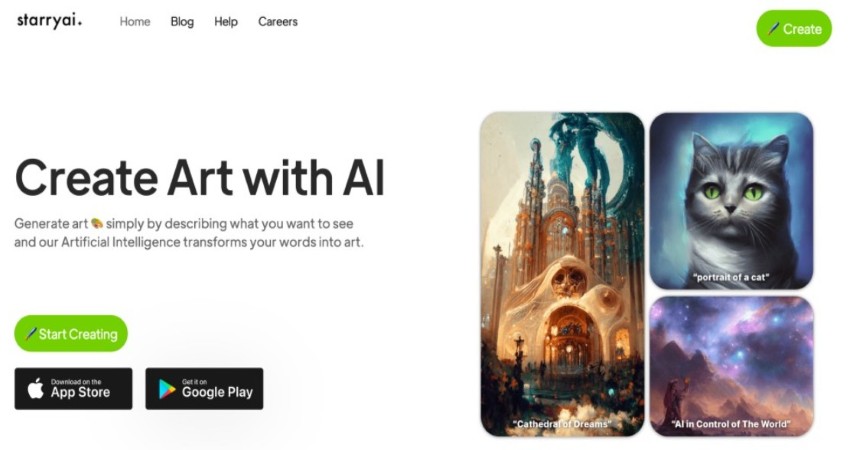
StarryAI turns text prompts into images while giving users full ownership of the results. It offers two modes: one for realistic art and another for more abstract results. The app is available on iOS, Android, and the web. It’s designed for ease of use with preset styles and a credit-based model. Good for mobile users who want to experiment.
Fotor’s AI art feature is part of its broader image editing platform. You can input text to create images or upload photos and apply artistic filters. It’s ideal for people who want both traditional editing and AI generation in one place. The platform includes templates for posters, social media, and branding, making it a handy all-in-one option.
Picsart's AI image generator is built into its popular design app. It allows users to create AI art quickly from text, then continue editing with built-in design tools. It’s accessible on mobile and desktop, and it's popular among content creators who want quick results with minimal steps. You can also layer images, add effects, and export in various formats.
CF Spark is part of the Creative Fabrica platform, which caters to crafters, designers, and print-on-demand sellers. The AI tool allows users to generate images from text prompts and is integrated with the site's marketplace. It’s useful if you’re designing for products like T-shirts or digital downloads. There’s a focus on licensing and commercial use, which is a plus for sellers.
AI art generators have made it easier than ever to turn ideas into images, even if you’ve never picked up a paintbrush. They’re not just tech tools—they’re a new kind of creative partner. Whether you're designing characters, decorating a blog, creating social media visuals, or just seeing what your imagination looks like, there’s a platform out there for you. As these tools evolve, they’ll only get better at helping us create AI art in more personal and meaningful ways. Try a few and see which one fits your creative rhythm, supports your unique style, and inspires fresh ideas.
Advertisement

How AI middle managers tools can reduce administrative load, support better decision-making, and simplify communication. Learn how AI reshapes the role without replacing the human touch
How can vision-language models learn to respond more like people want? Discover how TRL uses human preferences, reward models, and PPO to align VLM outputs with what actually feels helpful
How does Docmatix reshape document understanding for machines? See why this real-world dataset with diverse layouts, OCR, and multilingual data is now essential for building DocVQA systems

Discover execution speed differences between C and Rust. Learn benchmarks, optimizations, and practical trade-offs for developers

What's fueling the wave of tech layoffs in 2025, from overhiring during the pandemic to the rise of AI job disruption and shifting investor demands

The era of prompts is over, and AI is moving toward context-aware, intuitive systems. Discover what’s replacing prompts and how the future of AI interfaces is being redefined
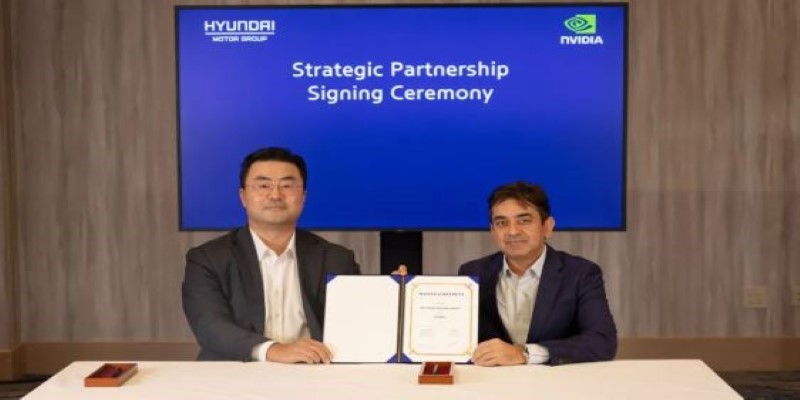
At CES 2025, Hyundai and Nvidia unveiled their AI Future Mobility Program, aiming to transform transportation with smarter, safer, and more adaptive vehicle technologies powered by advanced AI computing
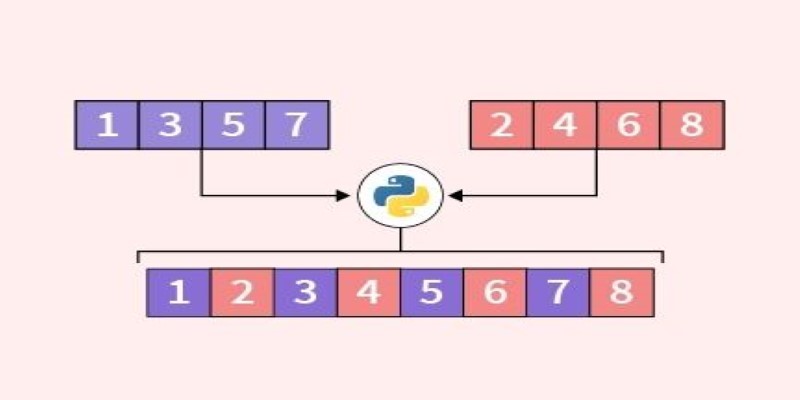
Looking for the best way to merge two lists in Python? This guide walks through ten practical methods with simple examples. Whether you're scripting or building something big, learn how to combine lists in Python without extra complexity

Is the future of U.S. manufacturing shifting back home? Siemens thinks so. With a $190M hub in Fort Worth, the company is betting big on AI, automation, and domestic production
Achieve lightning-fast SetFit Inference on Intel Xeon processors with Hugging Face Optimum Intel. Discover how to reduce latency, optimize performance, and streamline deployment without compromising model accuracy
Learn how to compare two regression models with statistical significance for accuracy, reliability, and better decision-making
How IonQ advances AI capabilities with quantum-enhanced applications, combining stable trapped-ion technology and machine learning to solve complex real-world problems efficiently